|
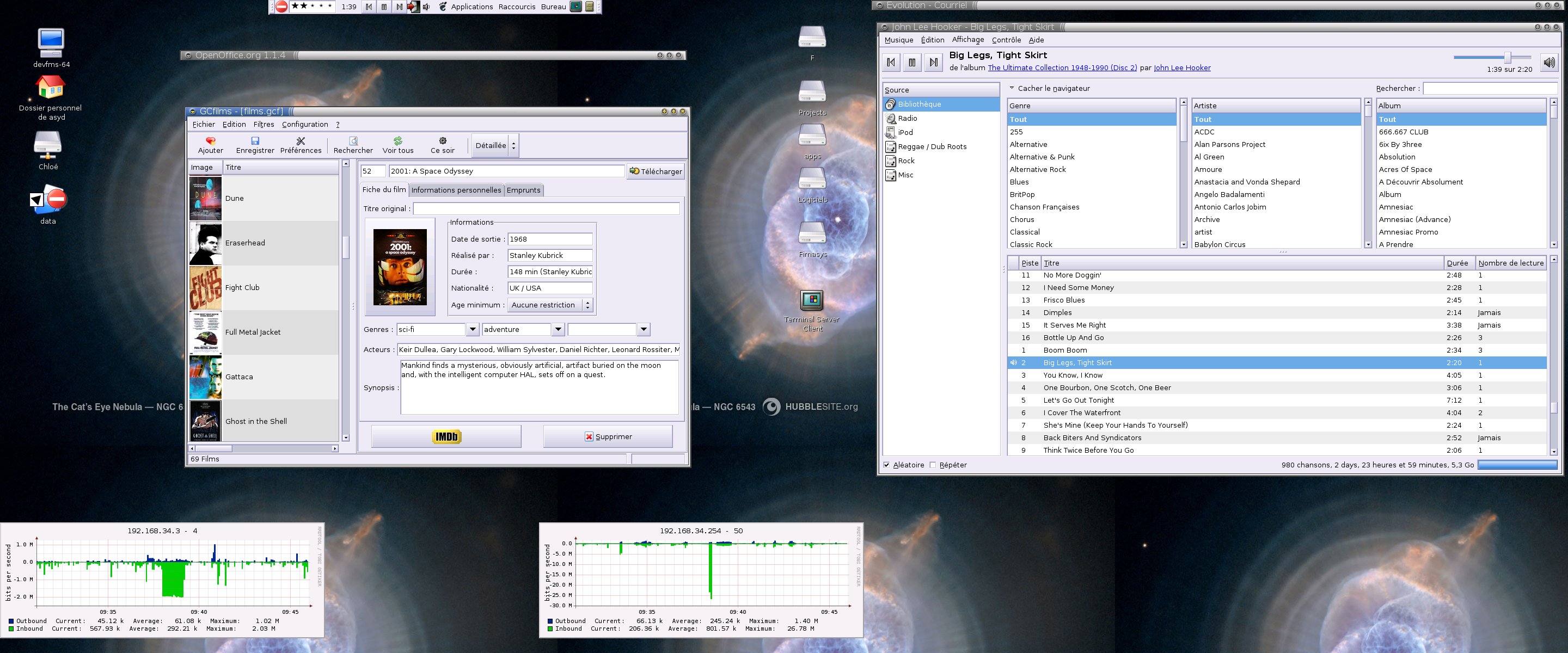
This is an old revision of the document! August, 27thI just finish to update dokuwiki to the last release which introduce new interesting features. August, 26thmpd/mpc patch for scoringI'm happy, after only few hours (~4h) I wrote a patch for mpd/mpc to add the scoring feature. I'll send it in few minutes to the upstream, I hope it will include ! August, 23thDesktopIt's funny to notice my different behavior with desktop now. For few years (2,3 maybe more) I just used sawfish as window manager, and none desktop manager. I tried gnome every 3 months, but I was bored about crash, useless stuff, etc… One week ago, after play a bit with JDS (The new Solaris gnome based desktop/window manager) I decide to try again Gnome. Wouaah, I was really surprised. First, it's now very beautiful, just take a look into my screenshot. Second, since I begin to be tired to type lot of commands to fetch a simple file via FTP, or Samba I begin to like the Gnome VFS stuff (and connected servers). Even nautilus, in spatial mode, is cool (after reading the bindkeys though, otherwise I can understand it's boring.) Now I'm running Gnome, I was looking for nice gnome applications. And I have some really nice ! The first one is gcfilms (you can see it in the shot). This applications manages Video collection. I found another one (alexandria) which do the same thing for books. August, 14thZonestats (aka blatant plug)If you like Solaris 10, you like zones, and probably prstat -Z too. Since I like graphics too, I try to write a script to graph CPU and memory usage per zone. But the only way I found to have such stats, is prstat which is interactive and can't be used for scripting. That's why I wrote a little .c based on prstat sources. For such things at least, OpenSolaris really rulez. This project is now available, read more detais here By the way, I don't know at all if some people read my geeklog, so, if you read these lines, please add a little comment ! :) August, 12thYesterday, I bougth a lot of Sun hardware, here the list :
I'm currently installing Solaris 9 in the SS20. I think I will only install Solaris 10 in the Ultra30 August, 8thDebian RepositorySince I now use sudo with LDAP support, I need to rebuild the debian package in order to add the –with-ldap configure's option. Build it and install it on each server via scp or other will be a waste of time. That's why I'm trying to setup a clean repository, it's not really easy. Anyway, here what I done :
August, 1stcfengineToday, after wrote a small script (related to my previous one, about zones backup), to clean a FTP server which contains lot of archived filed, I decide to try cfengine. This tool help sysadmin to maintain a collection of server (config files for example) updated. Even if it seem interesting, it's not a trivial tool, especially for the begins. Though, I success to copy files via cfengine from a server to a client, after few hours wasted about the undocumented authentication stuff. Here what I done : Server side(Non global zone running on Solaris 10)
cfagent.conf
control:

        actionsequence = ( links copy )
        cfengineserver = ( cfengine.asyd.net )

links:

        /root/tmp/titi  ->      /root/tmp/prout
        /root/tmp/toto  ->      /root/tmp/prout

copy:

        /etc/ldap.conf          dest=/etc/ldap.conf
                                mode=644
                                owner=root
                                group=root
                                server=$(cfengineserver)
cfservd.conf
control:

  AllowUsers = ( root )
  domain = ( asyd.net )
  HostnameKeys = ( false )
  AllowConnectionsFrom = ( 192.168.34.0/24 )
  TrustKeysFrom = ( 192.168.34.0/24 )

  solaris::

     cfrunCommand = ( "/usr/pkg/sbin/cfagent" )

  linux::

     cfrunCommand  = ( "/usr/bin/cfagent" )

  any::


  IfElapsed = ( 1 )
  MaxConnections = ( 10 )

#########################################################

admit:   # or grant:

        /etc                    *.asyd.net
        /var/cfengine/inputs    *.asyd.net
Client sideDebian GNU/Linux (sid), cfengine v2.1.15
control:

    actionsequence = ( copy )
    domain = ( fimasys.fr )
    policyhost = ( cfengine.intranet.fimasys.fr )
    workdir = ( /var/cfengine )

linux::

    destdir = ( /var/lib/cfengine2 )

solaris::

    destdir = ( /var/cfengine )

copy:

    $(workdir)/inputs       dest=$(destdir)/inputs
                            r=inf
                            mode=600
                            server=$(policyhost)
DescriptionLet me explain all this stuff. The file cfagent.conf is read by cfagent to execute some operations. On clients, the first one is to synchronize cfengine's configuration file (including cfagent.conf). The file update.conf describe how contact the cfengine server. On server, cfservd must run, it use cfvserd.conf. One section of this file stand for ACL files access. The others are about clients's authentication. As explain above, the cfagent.conf contains some actions to process. Lot of options are available, for example : copy, links for files managements, but also process, packages, shellcommands are available. 2005/07/29About VFSThese last days, I wrote few scripts to make backup and send them to a FTP server. So, I have a lot file like something-YYYYMMDD.tar.gz which are not deleted, except by hand at this time. That's why I want write a script which can access to the FTP server, and remove old archives. Since I want allow this script to access local (FS, or even zip/tar.gz) or remote (FTP, Samba, etc..) files, without writes code for each way, I'm looking for a VFS system. Perl
C#
How such thing is possible ? The only language I find which implement such VFS is Java !! I don't understand why it's not available for each language, I thought an universal API to access local/remotes files was so useful that is available for most high level language, but I'm wrong, that really sux. @#$@ JXplorerNote: the password setting feature seem broken, and jxplorer can't set password in {CRYPT} format :/ 2005/07/28Funny timeOk, let me introduce something. Guess you have your own website, like http://www.asyd.net/ with some pictures, (ex http://www.asyd.net/docs/laptop/laptop.jpeg). Some <whatever> (sth like mormons) people use this picture in their (fucking) web forum profiles. I don't like such things, because my stats are not correct ;p So, I just fetch a funny picture from goatse, and add the following rewriterules :
RewriteEngine On

RewriteCond %{REQUEST_FILENAME} \.(gif|jpe?g|png)$ [NC]
RewriteCond %{REQUEST_FILENAME} !/gfx/goaste.jpg
RewriteCond %{HTTP_REFERER} !^$
RewriteCond %{HTTP_REFERER} !asyd\.net [NC]
RewriteRule (.*) http://www.asyd.net/gfx/goaste.jpg [R,NC,L]
and now, each time someone link a picture from my website, it will redirect to goaste.jpg \o/ (except from my own site, for sure) Zones backupI wrote a small Perl script to backup zones (via ufsdump) and send them to FTP : bmonJust a little note to talk about a little tool I discover yesterday : bmon.
As you can see, this tool monitor network traffic. One of its advantages, that is it can run on Solaris, which doesn't include such tool. 2005/07/26Long time ago I didn't add a geeklog entry. Well, long time ago I hadn't real geek activities. Anyway, just a little note to talk about ext FS label, which allow to use label in /etc/fstab. Just an example : # e2label /dev/sda1 data1 # grep data1 /etc/fstab LABEL=data1 /mnt/usbkey auto noauto,defaults 0 0 # mount /mnt/usbkey Thanks to sam Since the Debian's GQ is broke, I'm looking for a new LDAP Browser. I think I find a cool one, a GUI java based : JXplorer 2005/05/08Well, today it was a very good day. I'm up at 8h, begin with rollerblading for an hour, made some houseworks. Then, my geeklife started. I was very disappointed about my dotfiles management, because I don't use any system to manage it. I don't like CVS - though we use it at work - that's why I start to play with subversion. At this, it seem really interesting. I create a project for my dotfiles, my scripts, and my working directory. The only bad point I notice at this moment is the write mode needed to have access via websnv or viewcvs. Anyway, I also tried some features like externals, and I definitively adopt it for the moment. I also made a package for Solaris 10 ! |